 Day ’N Deed
What’s new in Day ’N Deed
A clearer way to turn conversations into plans—and keep the promises that come after them.
Version 1.0 · TestFlight build 31
September 24, 2026
This update brings together the latest beta improvements. Public App Store release is still coming soon. Existing testers can open Day ’N Deed in TestFlight and install the newest build available to their group.
Meetings that are easier to capture and revisit
- You choose when recording starts. Tap Start, then swipe Capture away, switch apps or lock the phone. Recording continues, and a red bar inside the app brings you back.
- Stop, save and move on. Stopping saves the meeting and follows your transcription preference. Saved original audio remains available if cloud processing needs a retry.
- A more readable meeting. Summary, Transcript and Next steps have clear sections and jump controls.
- Original audio or a narrator. Hear the real speakers, or preview Man 1, Man 2, Woman 1 and Woman 2 reading the transcript. The offline Device voice remains a separate option.
- Useful playback controls. Original audio includes seeking, speed, 15-second skips and bookmarks. Replaying prepared narration does not use another AI request.
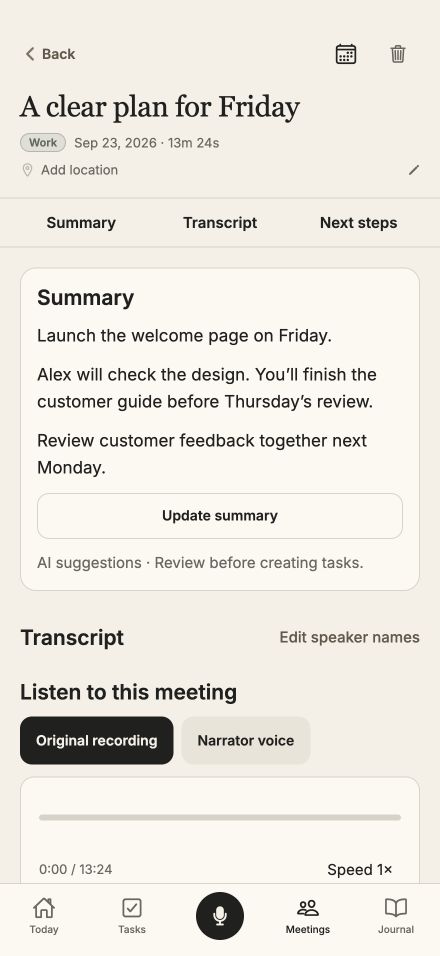
Everything in view.
A readable summary, transcript and next steps.
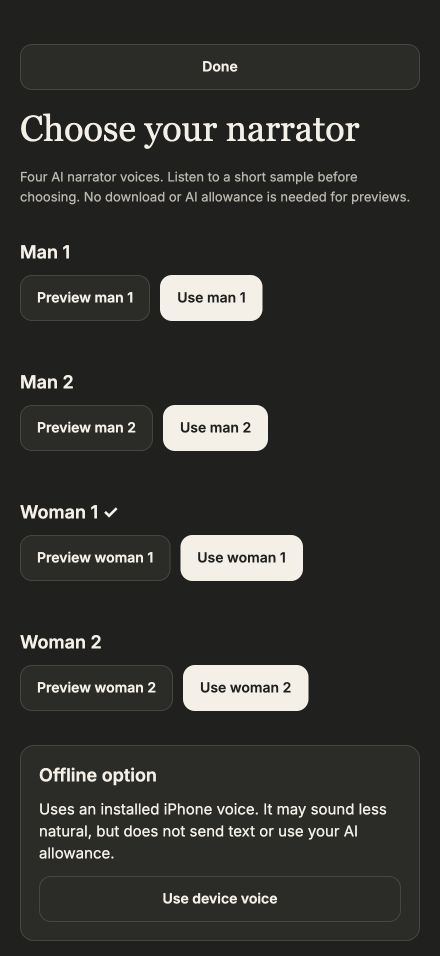
Choose how to listen.
Original audio and four AI narrator choices.
Calendars and briefings that understand the week
- Calendar is easier to find. Open it from the top icon or menu. Month view opens the daily agenda when you tap a date.
- A cleaner calendar picker. Choose visible calendars with check circles in a separate sheet, then tap Done.
- Apple and Google calendar planning. Use accounts connected through iOS, create reviewed task time blocks and keep deadlines separate from scheduled work.
- Brief me with AI. Get a summary of priorities, selected appointments and follow-ups, with source links and optional narration. The factual view works without AI.
- New in build 31: Weekly calendar context. Weekly’s AI brief now includes selected-calendar appointments alongside tasks. Hidden and canceled events stay out; changed context clears an outdated brief without charging automatically.
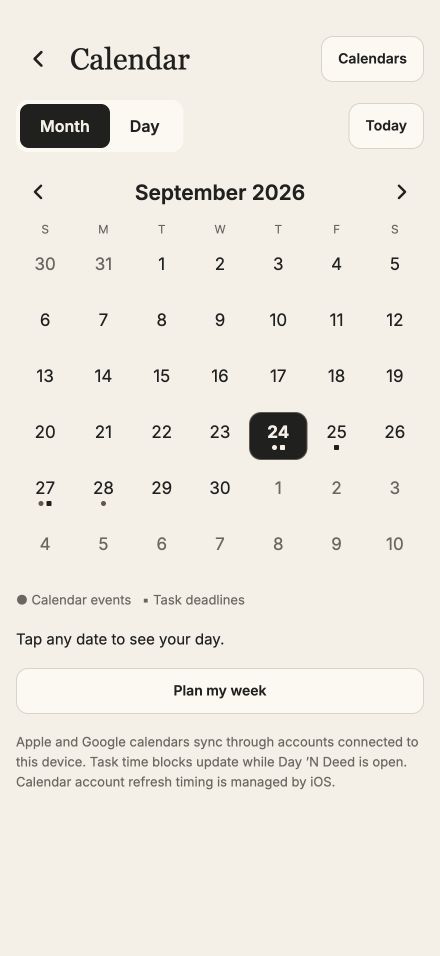
Month to day.
Choose a date and see what belongs there.
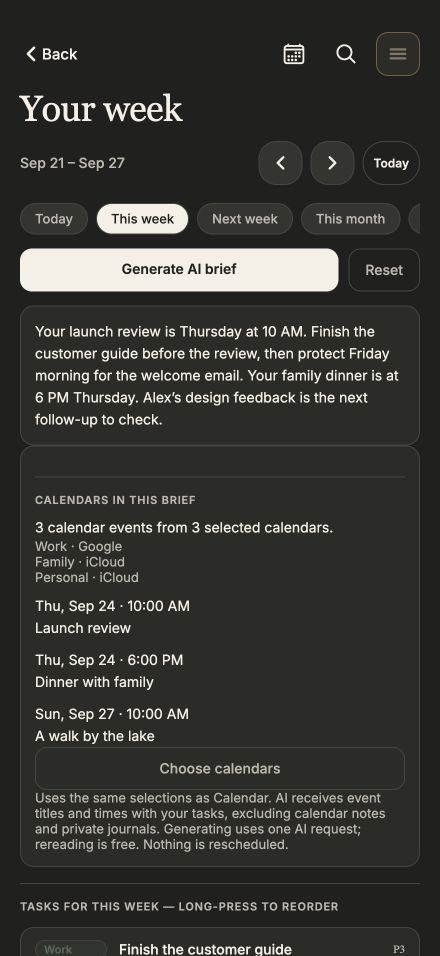
A week with context.
Selected appointments inform the AI brief.
Clearer ownership and more reliable follow-through
- Assign the work explicitly. Choose responsible people separately from followers. Uncheck Me when delegating, and choose one shared completion or everyone’s individual part.
- See partial completion clearly. Your part can be done while the task waits for others.
- Private commitments with context. Track I owe, Waiting on and Confirm owner with deadlines, check-ins, linked tasks and source history. Naming someone does not assign work or contact them.
- New in build 31: commitment follow-through fixes. Saving preserves a resolved status, reopening is explicit, and linked-task completion stays connected. Reusing a reviewed suggestion returns to the saved commitment; removing a linked task preserves its history.
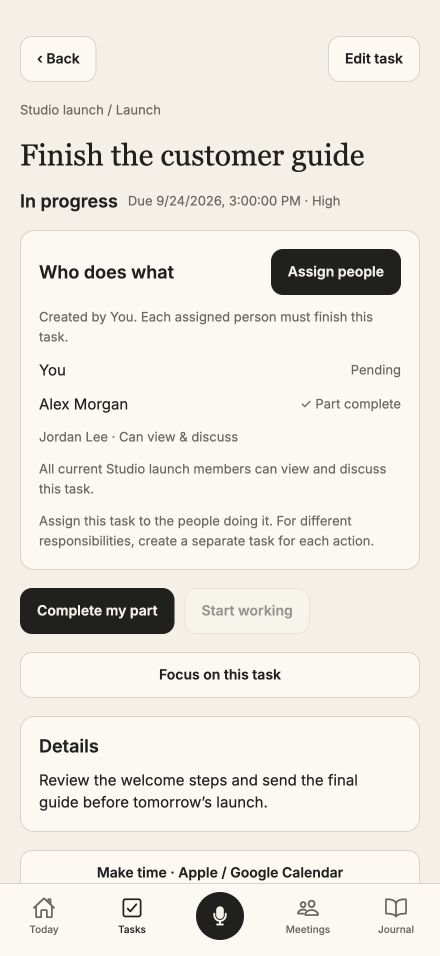
Know who does what.
Responsible people and followers have separate roles.
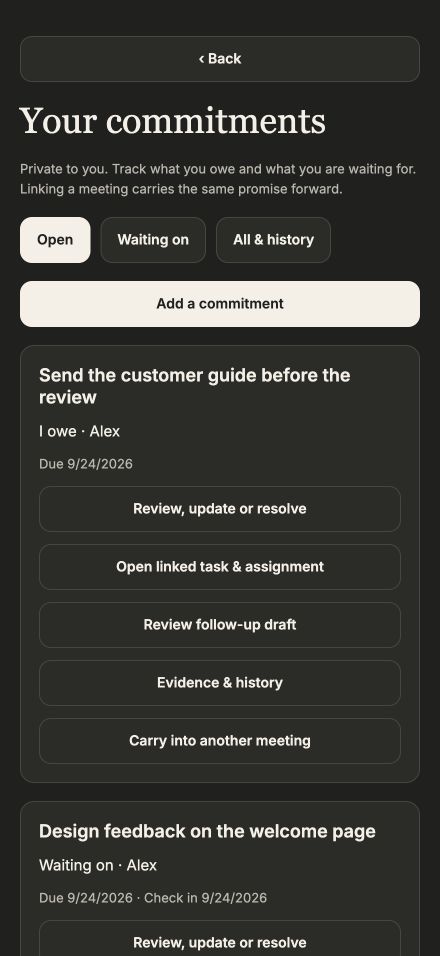
Keep the promise connected.
Sources, check-ins and linked work stay together.
A journal that helps you learn from your decisions
- Decisions and personal experiments. Record a choice, alternatives, assumptions, expected outcome, measure and confidence. Revisit it later without rewriting the original reasoning.
- A private weekly review without required AI. Review saved task completions, focus recorded on this device and your entries, then write your own reflection.
- Goals with context. Define outcomes, compare intended time with recorded focus and add separate progress check-ins. Time spent is not treated as proof of completion.
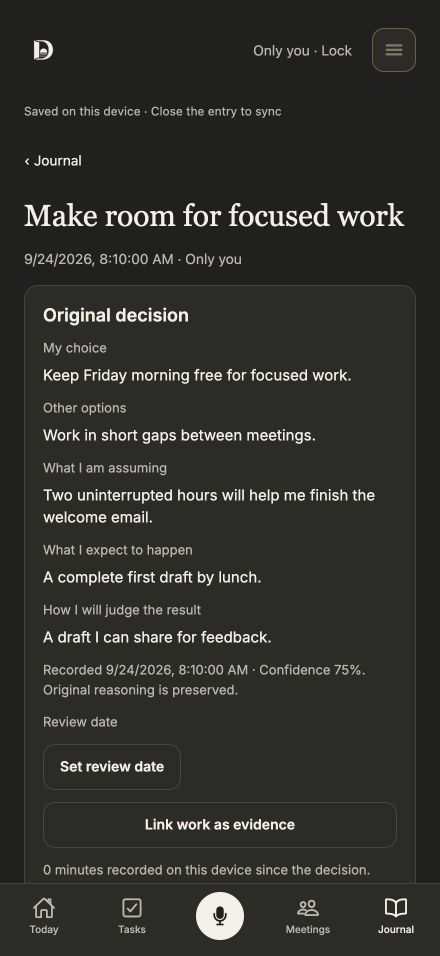
Remember why it made sense.
Preserve the original decision and append later observations.
A few practical details
Original recordings stay on the device that saved them. New cloud transcription, AI summaries and narration need a connection, consent and available allowance. Tasks, source links, the factual brief and saved audio remain useful without new AI requests.
To stop a meeting recording, reopen the app. Lock Screen and Dynamic Island Stop controls are not included in this beta. Force-quitting ends recording. Live capture of a call running in another app on the same iPhone is not included; authorized recordings can be imported.
Interface previews with demonstration content. Appearance may vary by device. Tap any screen for a closer look.
Need help with this update? Open Support or email info@1fishergroup.com.