 Day ’N Deed
Your calendars, with room for your work.
Bring selected Apple and Google calendar appointments into your day, your Weekly brief and your plans. Keep the deadline separate from the time you set aside to do the work.
Available in the current TestFlight beta. Public App Store release is coming soon.
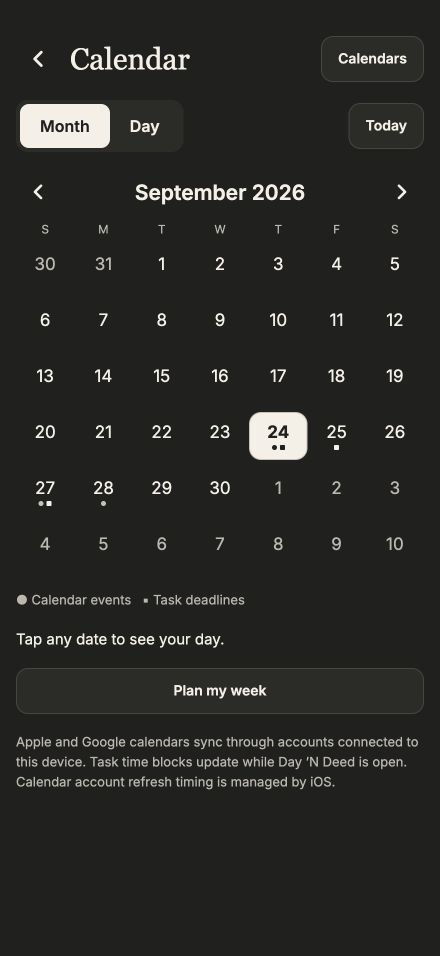
Start with the month.
Tap a date to open its daily agenda.
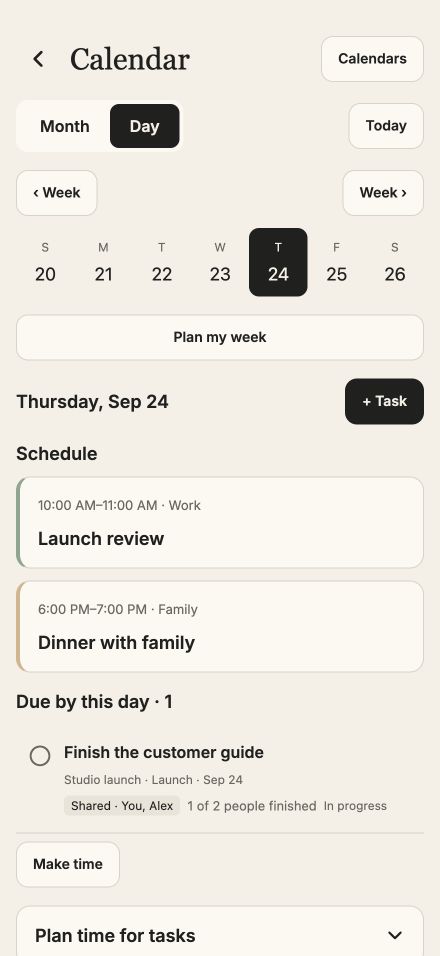
See the day clearly.
Appointments and work in one readable view.
Connect the calendars you already use
Enable Apple or Google calendar accounts in iPhone Settings → Apps → Calendar → Calendar Accounts. Grant Day ’N Deed full calendar access, then open Calendar from the top icon or menu and pull down to refresh. Account sync timing is managed by iOS.
Tap Calendars, check the sources you want to see and tap Done. The same selection is used in Month, Day and calendar-aware briefings. Hiding a calendar changes the view; its busy events still help prevent scheduling conflicts.
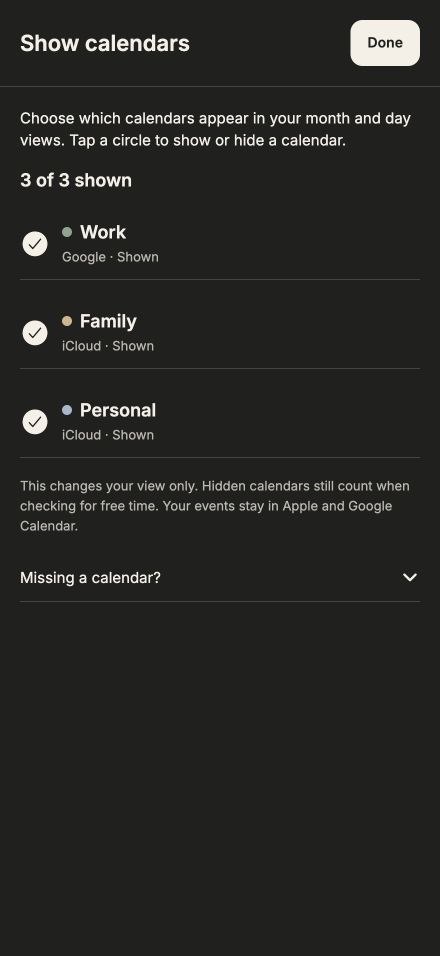
Choose, then close.
Visible check circles and a Done button keep the calendar selection separate from your agenda.
Make time for a task
Use Make time on a task to select a writable calendar, start and duration. Saving creates a linked work block; the task’s deadline stays unchanged. Task titles and completion status update the linked block while Day ’N Deed is open. Moving that block in Calendar changes the work time, not the deadline.
Weekly planning can propose work sessions around busy events. Review the plan and choose Apply before anything is added. If a linked event is missing on another device, use Reconnect and check the calendar account before creating another block. See calendar support for recovery details.
A brief grounded in your plans
Brief me with AI summarizes priorities, selected appointments and follow-ups. Open its source links to inspect the underlying records. The factual view and Refresh facts work without AI.
Weekly’s AI brief brings selected-calendar appointments together with open tasks for the chosen period. Hidden and canceled events are excluded. A changed calendar selection or appointment clears a stale brief without automatically generating or charging for another one.
These briefings exclude private journal entries, calendar notes and locations. New AI summaries and narration require consent and available allowance; rereading a saved brief and replaying prepared audio use no further requests.
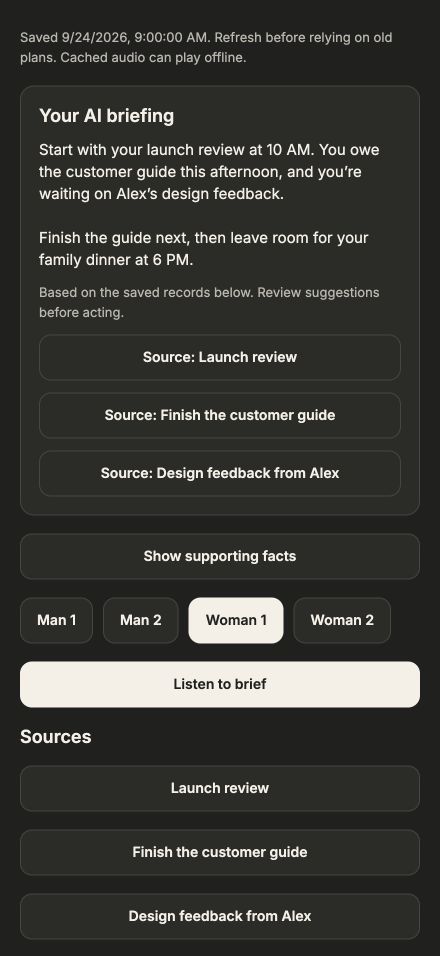
Get the context.
A daily AI summary with links back to its sources.
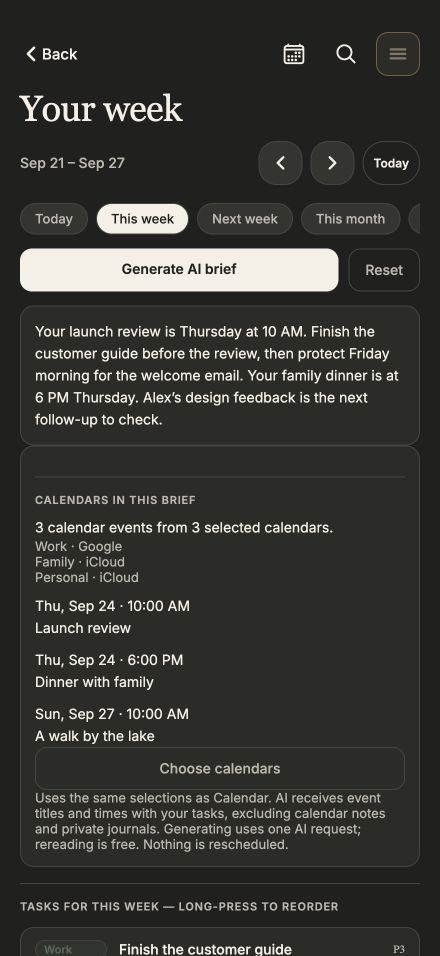
Think beyond today.
A weekly brief that includes selected appointments.
Interface previews with demonstration content. Appearance may vary by device. Tap any screen for a closer look.