 Day ’N Deed
Lists for groceries, packing and everyday plans.
Day ’N Deed keeps shared and private lists in one place. Add quantities and sections, check items off with connected people, and link a reusable list to a recurring task. Use it for a grocery trip, a packing list or another routine you want to remember.
Available for iPhone and iPad. Download Day ’N Deed on the App Store. Android remains in internal testing; contact Support about testing access.
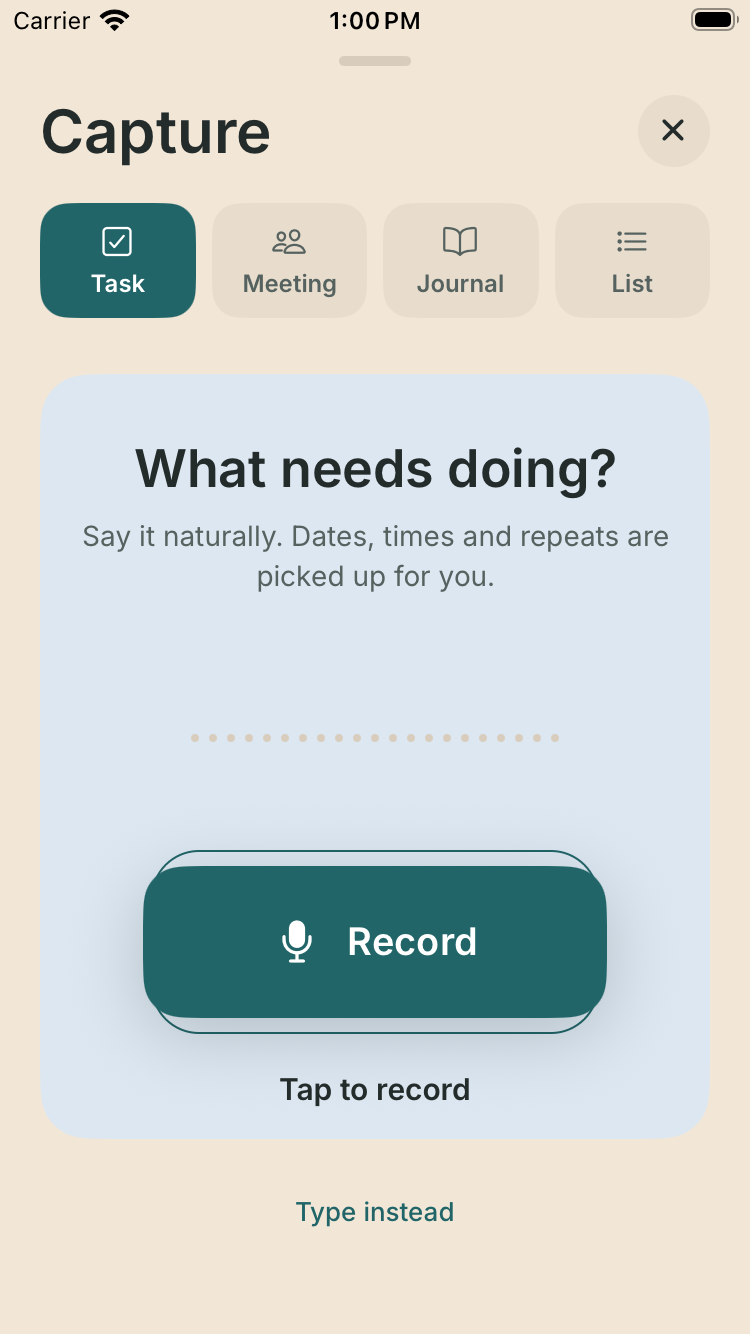
Say it. Review it. Do it.
iPhone · Choose Task, Meeting, Journal or List before you record.
Native iPhone and Android previews captured October 2, 2026, using the app’s real components with sample data. These previews show the October 2 interface; later versions may differ. Appearance varies by device and text size. Tap a screen to see it full size.
How do I share a grocery list?
- Open Tasks → Lists and create a list with a name such as Groceries.
- Add items, including quantities and sections where useful.
- Use the list’s people controls to share it with connected members.
- Check off items as you finish. Connected participants can see their status and who completed them.
A private list stays yours until you share it. List membership is managed independently of task assignments.
Can I add items by voice?
Type items directly or use Voice / AI in Lists, the Record button or Ask AI to request additions. For example: “Add milk, eggs and cereal to my next grocery list.” Review the destination and proposed items before saving.
Optional cloud assistance requires consent, a connection and available allowance. Manual list tools remain available without AI.
Do the lists work offline?
Previously loaded lists remain available offline. Item edits queue and sync when you reconnect. Creating lists and changing membership require a connection. Live updates from other people also need a connection.
Conflicting changes may require review. If your access to a shared list is removed, queued edits cannot restore that access.
How do recurring tasks use a list?
Link the list from a scheduled or recurring task. Recurring tasks retain that link. Uncheck individual items to use them again; Clear checked items removes the completed rows rather than resetting them.
Archive a list to put it aside and restore it later, or delete it from its settings when it is no longer needed.
Where do I get help?
Visit Support for list creation, sharing and sync instructions. The Free plan includes lists and shared work. Day ’N Deed is available for iPhone and iPad on the App Store. Android remains in internal testing; invitations depend on testing availability.